

 Magyar
Online contracts anytime, anywhere, with just a few clicks
Create the contract from a template, send it to your partners and sign it online. Your partners don't even need an account.
- All features for 7 days
- Your first 2 contracts are free
- Sign on your phone too
“I was looking for an e-contracting solution that truly supports my digital business and can be a foundation for future developments, even through automation (e.g., bulk contracts). That’s how I discovered Signingo. It was important to me that the signing process is clear and straightforward, ensuring our clients and partners understand what’s happening, how to sign, and what steps to take. In fact, we even use it for employment contracts.”


- Sign with DÁP or your own e-signature too
- Qualified electronic seal and timestamp
- Your partners don't need an account
- Contract samples and your own templates
Try it now, without registering
Enter your email address and we will send you a demo contract within seconds. You sign it just like your partners sign your real contracts, and at the end you receive the PDF sealed with Signingo’s electronic seal.
- 1You receive the demo contract by email, just like your partners would.
- 2You check the details of the parties and fill in the field meant for you.
- 3You sign it on the virtual signature pad, on your phone or computer.
- 4Signingo signs it too, and you receive the sealed PDF by email (without a timestamp in the demo).
The demo contract creates no legal relationship and costs nothing. Its data is deleted after 30 days.
Paper contracts cost you time, money and energy
-
Printing, scanning and posting for every single contract.
-
Chasing partners by phone and email to see whether they have signed.
-
Days of back-and-forth about the wording.
-
Contracts scattered across folders, inboxes and drawers.
Digitize your contracting processes to save time, energy, and costs for your business


Faster process, zero wasted time, and quicker project launches
No more time-consuming in-person meetings, phone calls, or endless email exchanges to finalize your contracts. Show your prospective clients that there's a simpler and more convenient solution than slow, manual processes, enabling you to start your joint projects sooner.

Thousands of contracts in one place, securely and transparently
If you frequently sign contracts with new partners, managing, tracking, or retrieving your contracts can quickly become challenging. In the Signingo system, you can find everything in seconds, track every change, and do it all within multi-layered, maximum digital security.


Contracting fully compliant with European Union and Hungarian law, with free digital signatures.
Contracts signed on Signingo are fully valid in Hungarian and European Union courts. You can apply various types of digital signatures to your contracts, all of which can serve as proof of the contract's execution and content, with several of these options available free of charge.

Lower costs with pricing tailored to the size of your business.
No need for printing, scanning, mailing, or physical storage. Signingo speeds up processes, reducing the time and costs spent on administration. Start small and try it for free without limitations, or use it immediately with a large number of contracts at the most competitive prices.
Four steps to a signed contract
Everything happens in one place, and your partners open the contract from a link they receive by email.
-
Step 1: Create the contract
Start from your own template or a contract sample, or write your own text. Attach files and add fillable fields.
Browse contract samples -
Step 2: Invite your partners
Enter the signers' contact details: they are notified by email and can open the contract without an account.
-
Step 3: Agree and sign
Discuss the wording in comments, then everyone signs the way that suits them: on screen, with DÁP or with their own electronic signature.
-
Step 4: Done: a verifiable file for everyone
The concluded contract is a digitally signed, timestamped PDF or ASiC file that every party receives by email and that stays stored in Signingo.
The contract process in detail, in 7 steps
Contract procedure
-
 Step 1
Creating a contract
Start the process with a pre-designed template or create a custom contract.
-
 Step 2
Adding partners
Add the involved parties to the contract, who will receive an email notification about the contract.
-
 Step 3
Notifying partners
Those parties who are already registered on Signingo can accept the contract. Those who are not registered can access the contract via a secret link.
-
 Step 4
Contract review
There is no longer a need for time-consuming, multi-session personal, phone, or email content negotiations: partners can review and comment on the contract within the Signingo system, for which you will receive automatic notifications. Once all details are finalized, the contract can be signed.
-
 Step 5
Sign the contract
After the contract is finalized, the partners can sign the document with the selected type of signature. The signature can be done on a virtual signing panel, with the DÁP mobile application, or with their own electronic signature.
-
 Step 6
Contract conclusion
Once all parties have signed, the contract will be saved as a digitally signed and timestamped PDF or ASiC file, which serves as undeniable proof.
-
 Step 7
Sharing the signed document
The contract created will be accessible to all parties via email and stored on the Signingo platform. This file must be preserved and can be used as evidence in court in case of legal disputes.
Try all features for 7 days! The first 2 contracts are free!
See it in action
Digitize your contracting processes to sign agreements with your partners faster, more efficiently, and more securely.
„Digital transformation is the only viable reality for businesses.” - Warren BuffettTry it for free
Playing the video loads it from YouTube.
simple, user-friendly, and lightning-fast online contracting for your business
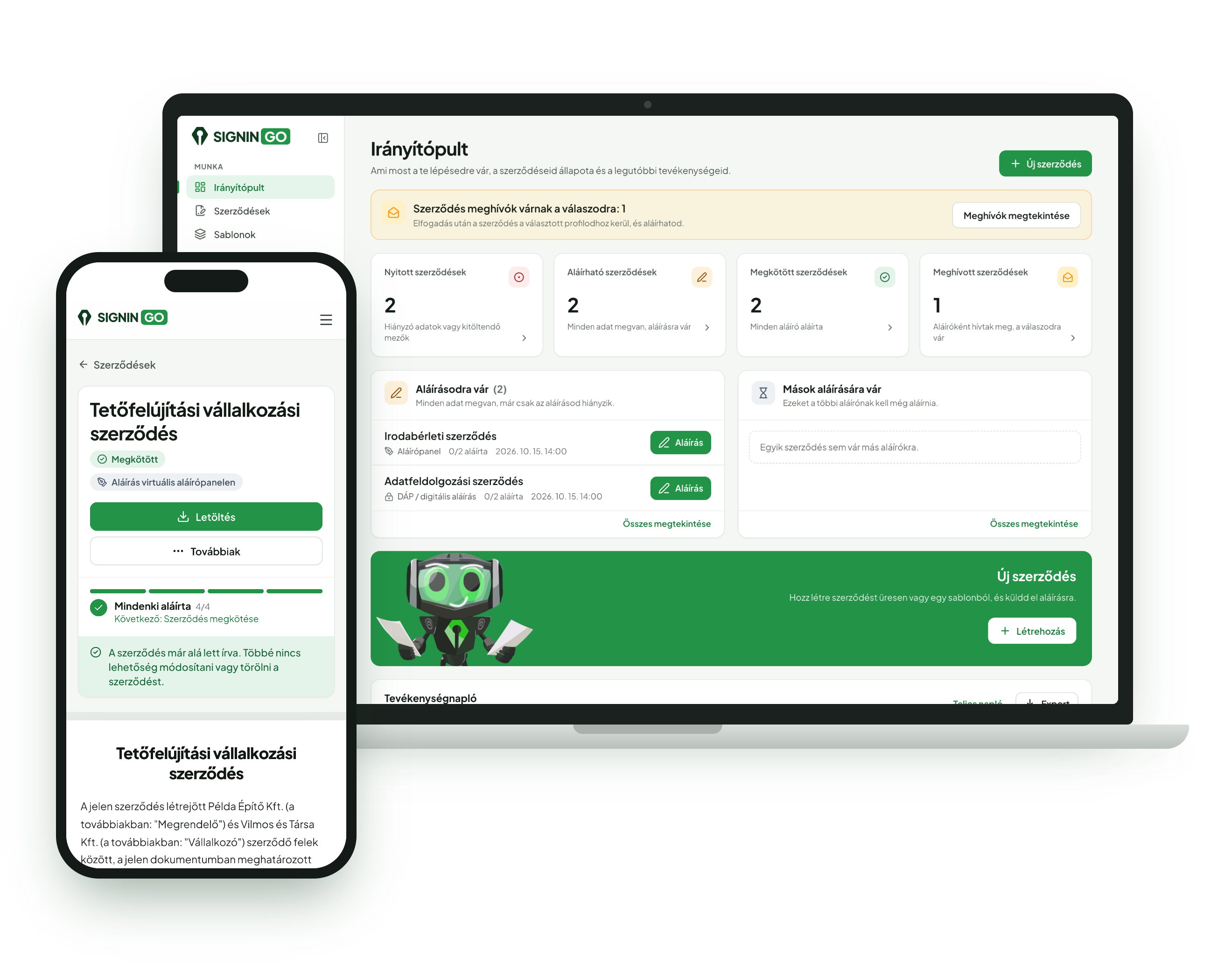
We designed Signingo's features to be your best partner in simplifying your contracting processes, helping you save time, energy, and costs for your business.

Easy contract creation
Use pre-made templates or create new contracts with just a few clicks.

Use templates to make the process even faster
In your account, you can create saved contract templates anytime, which can be customized for your current project with just a few clicks.

Contract status tracking
You can track changes made to the contract and see if your contracting parties have received and opened the emails sent to them.

Legal compliance
The contracts made using Signingo can be used in court to prove both the execution and content of the contract.

Device and location-independent access
Whether you're on the go or in the office, Signingo is accessible on all devices, allowing you to easily access and manage your contracts anytime.

Digital signature
Signingo enables efficient digital signing of contracts, including the option to sign without registration via an email link.

Multiple Signing Options
It is not necessary to have your own electronic signature to sign contracts. You can sign on a virtual signature panel or with the DÁP mobile application, or if you have one, you can also use your own electronic signature.
Managing attachments and fillable fields
You can attach PDFs and images to contracts, as well as insert blank fields that the recipient or the sender can fill in.

Managing multiple signer profiles
You can create multiple profiles with which you can sign contracts. You can invite co-users (e.g., lawyer, assistant) who can access your contracts.

One, two, or more signatories
You can create a declaration with just one signer. It's also possible to create a traditional contract with two or even more signers.

Mass contract generation
By importing an Excel spreadsheet or through an API, you can mass create and send contracts to your partners.

API integration
Connect Signingo to your ERP or CRM system via API integration to manage your processes even more efficiently.
Authenticate your contracts with universally accessible or custom electronic signatures
Signingo allows users to choose from various signing methods tailored to their needs, which can also be used by your partners without requiring registration.

This ensures that your online contract is not only lightning-fast but also fully compliant with legal regulations

Digital signature
Digital signatures are a secure technology that enables documents to be signed online. On the Signingo platform, this process involves signing the contract using the chosen signing method, after which the document is authenticated by generating a unique, tamper-proof code. This code is linked to the document's content, ensuring that any changes made after signing are detectable, guaranteeing the document's integrity and immutability.

Timestamping
Timestamping adds an additional layer of security to digital signatures. When a contract is signed, Signingo automatically attaches a digital timestamp that records the exact time of the signature. This timestamp is verified and provided by an independent third party, enhancing the document's authenticity. The timestamp ensures precise traceability of when the contract was created, guaranteeing that the signed agreement exists from that specific moment onward.
What our users say

Easy to use, simple, and fast. So far, I’ve completed a dozen contracts on the platform without any issues, neither on my side nor with the contracting partners. The price is favorable too! I can only recommend it!
An easy-to-use contract management system, even I managed to learn it. I can forget about postage costs, and I can see the current status of the contracts. I no longer have to ask, "Have you signed it yet, dear partner?" Loving it...
Good-priced packages, a user-friendly system where I can quickly put together my contracts. A real salvation after the paper-based and scanning setup :D
Cost-effective pricing tailored to the size of your business
Start small and try it for free without limitations, or use it immediately with a large number of contracts at the most competitive prices.
Every new account can use all Premium features for 7 days, and your first 2 contracts are free.
Recommended if you rarely sign contracts.
Functions
- Included: Unlimited Contracting
- Included: Contract Storage
- Included: Contract History We store every modification that has been made to the contract.
- Included: Activity Log
- Included: Max. 1 own profile(s) You can register multiple companies with which you want to create and sign contracts.
- Included: Max. 2 singature(s) per contract You can create declarations or multi-party contracts that need to be signed by two or more parties.
- Not included: Contract templates You can create templates to easily generate contracts.
- Not included: Manage Sub-accounts You can add colleagues who can view and edit your contracts, but you will still be the only one who can sign them.
- Not included: Create contract comments Contracting parties can create comments on contracts, allowing you to communicate with each other.
- Not included: Email tracking You can track whether emails related to the contract have arrived in your partners' inboxes and whether they have opened them.
- Not included: Bulk contract creation You can create contracts in bulk from Excel or via API.
- Not included: Your own logo and colour on contracts Your company logo and colour on the contract PDF, in the emails sent to your partners and on the signing page.
- Not included: API access
- Not included: Webhook integration With webhooks, you can receive real-time notifications about contract events.
Recommended if you sign 1-2 contracts per month.
Functions
- Included: Unlimited Contracting
- Included: Contract Storage
- Included: Contract History We store every modification that has been made to the contract.
- Included: Activity Log
- Included: Max. 1 own profile(s) You can register multiple companies with which you want to create and sign contracts.
- Included: Max. 2 singature(s) per contract You can create declarations or multi-party contracts that need to be signed by two or more parties.
- Included: Contract templates You can create templates to easily generate contracts.
- Not included: Manage Sub-accounts You can add colleagues who can view and edit your contracts, but you will still be the only one who can sign them.
- Not included: Create contract comments Contracting parties can create comments on contracts, allowing you to communicate with each other.
- Not included: Email tracking You can track whether emails related to the contract have arrived in your partners' inboxes and whether they have opened them.
- Not included: Bulk contract creation You can create contracts in bulk from Excel or via API.
- Not included: Your own logo and colour on contracts Your company logo and colour on the contract PDF, in the emails sent to your partners and on the signing page.
- Not included: API access
- Not included: Webhook integration With webhooks, you can receive real-time notifications about contract events.
Recommended if you sign several contracts per month.
Functions
- Included: Unlimited Contracting
- Included: Contract Storage
- Included: Contract History We store every modification that has been made to the contract.
- Included: Activity Log
- Included: Max. 1 own profile(s) You can register multiple companies with which you want to create and sign contracts.
- Included: Max. 2 singature(s) per contract You can create declarations or multi-party contracts that need to be signed by two or more parties.
- Included: Contract templates You can create templates to easily generate contracts.
- Included: Max. 1 Sub-account You can add colleagues who can view and edit your contracts, but you will still be the only one who can sign them.
- Included: Create contract comments Contracting parties can create comments on contracts, allowing you to communicate with each other.
- Included: Email tracking You can track whether emails related to the contract have arrived in your partners' inboxes and whether they have opened them.
- Not included: Bulk contract creation You can create contracts in bulk from Excel or via API.
- Not included: Your own logo and colour on contracts Your company logo and colour on the contract PDF, in the emails sent to your partners and on the signing page.
- Not included: API access
- Not included: Webhook integration With webhooks, you can receive real-time notifications about contract events.
Recommended if you sign many contracts or want to use the system without limits.
Functions
- Included: Unlimited Contracting
- Included: Contract Storage
- Included: Contract History We store every modification that has been made to the contract.
- Included: Activity Log
- Included: Max. 10 own profile(s) You can register multiple companies with which you want to create and sign contracts.
- Included: Unlimited singature(s) per contract You can create declarations or multi-party contracts that need to be signed by two or more parties.
- Included: Contract templates You can create templates to easily generate contracts.
- Included: Unlimited Sub-account You can add colleagues who can view and edit your contracts, but you will still be the only one who can sign them.
- Included: Create contract comments Contracting parties can create comments on contracts, allowing you to communicate with each other.
- Included: Email tracking You can track whether emails related to the contract have arrived in your partners' inboxes and whether they have opened them.
- Included: Bulk contract creation You can create contracts in bulk from Excel or via API.
- Included: Your own logo and colour on contracts Your company logo and colour on the contract PDF, in the emails sent to your partners and on the signing page.
- Included: API access
- Included: Webhook integration With webhooks, you can receive real-time notifications about contract events.
Frequently Asked Questions
Call us on weekdays between 8:00 and 17:00, or send us an email.
What is Signingo and what is it used for?
Is a digitally signed contract equivalent to a paper-based contract?
How does electronic signature work?
How can I use a contract signed in Signingo as evidence in a legal dispute?
How can I sign contracts in the Signingo system?
Which type of signature creates a written contract, and which does not?
What is the difference between written and non-written contracts?
When should you create a written contract, and when is a non-written contract sufficient?
How can I create a written contract in Signingo?
Do I need my own digital signature to create a written contract?
Can I create a declaration?
Can more than two contracting parties sign a contract?
What subscription packages are available in the Signingo system?
How can I subscribe?
When do I have to pay the per-contract fee?
Can I try contract finalization for free?
What is the process for signing contracts?
How can I manage my profiles and contracting partners in the system?
Tutorial Videos
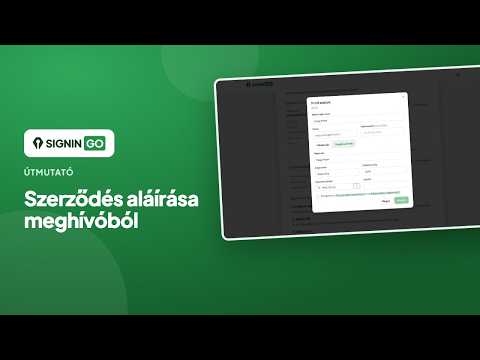
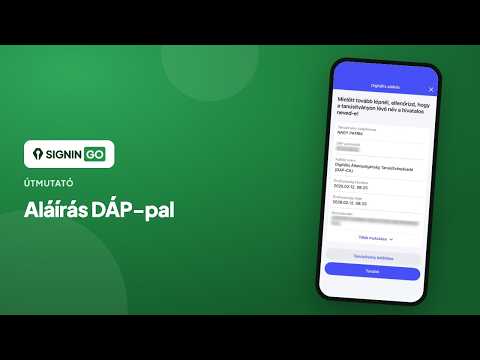
Blog
More articles
The electronic signature feature of DÁP has become available
The DÁP e-signature feature provides a free, qualified electronic signature in the EU, replacing the discontinued AVDH.
Advantages of E-Contracts and the Uniqueness of Signingo
The Signingo platform enables the quick and secure conclusion of e-contracts, emphasizing legal compliance and ease of use.
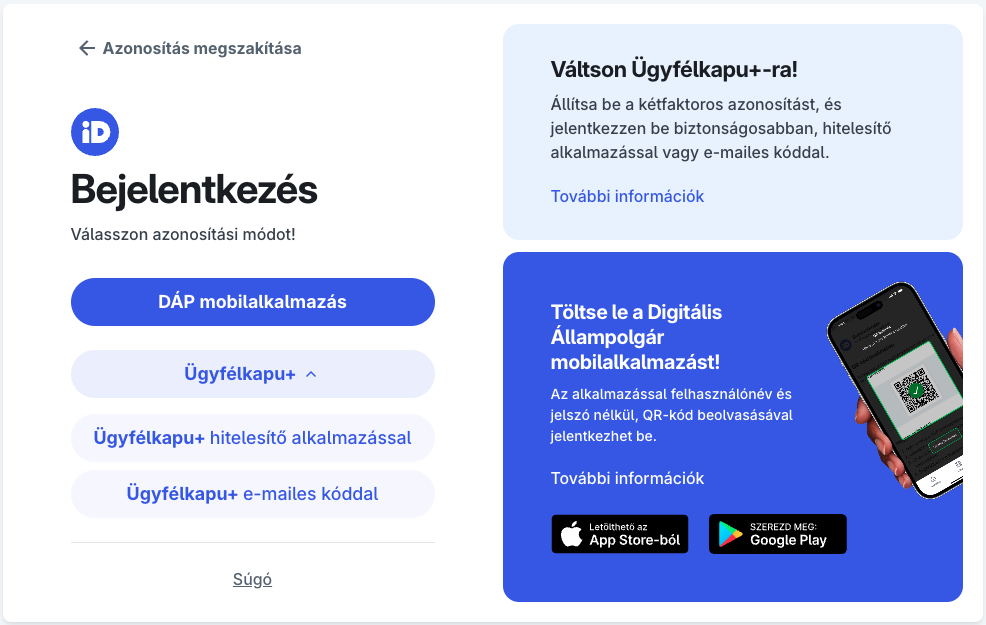
How to Switch to Ügyfélkapu Plusz (Ügyfélkapu+)? Step-by-Step Practical Guide.
This practical guide presents the steps for transitioning to Ügyfélkapu Plusz, the benefits and application of two-factor authentication, as well as the opportunities offered by the DÁP mobile application in the field of digital administration.

Sign your first online contract today
Try all the features for 7 days! The first 2 contracts are free!